
Your other Mac is
a second display.
Plug in a cable, click once. That MacBook in your drawer becomes a real extended display. Full screen, no black bars, no account.
Free & open source · macOS 14 Sonoma or later · Apple silicon · latest release
Set up in about a minute.
No wizard, no account, no pairing codes. Install it on both Macs and you're two clicks away.
Install on both Macs
Open the download and drag Annex into Applications, on each Mac.
Click “Use as Display”
Your other Mac shows up by itself, over a cable or the same Wi-Fi.
Click “Allow”
On the other Mac, once. After that it reconnects on its own.
First setup measured at 102 seconds on a MacBook Pro → MacBook Air. Every time after that: 0 clicks.
Built to feel like it came with your Mac.
Everything you'd expect from a monitor, nothing you have to configure.
Truly full screen
Matches the other Mac's exact shape and uses the strip beside the notch. AirPlay letterboxes to 16:9.
Cable or Wi-Fi
Thunderbolt or USB-C for about 1 ms of lag, Wi-Fi when you're untethered. It switches when you plug in.
Reconnects itself
Sleep, unplug, walk away. Your windows come home, and the display comes back when the Mac does.
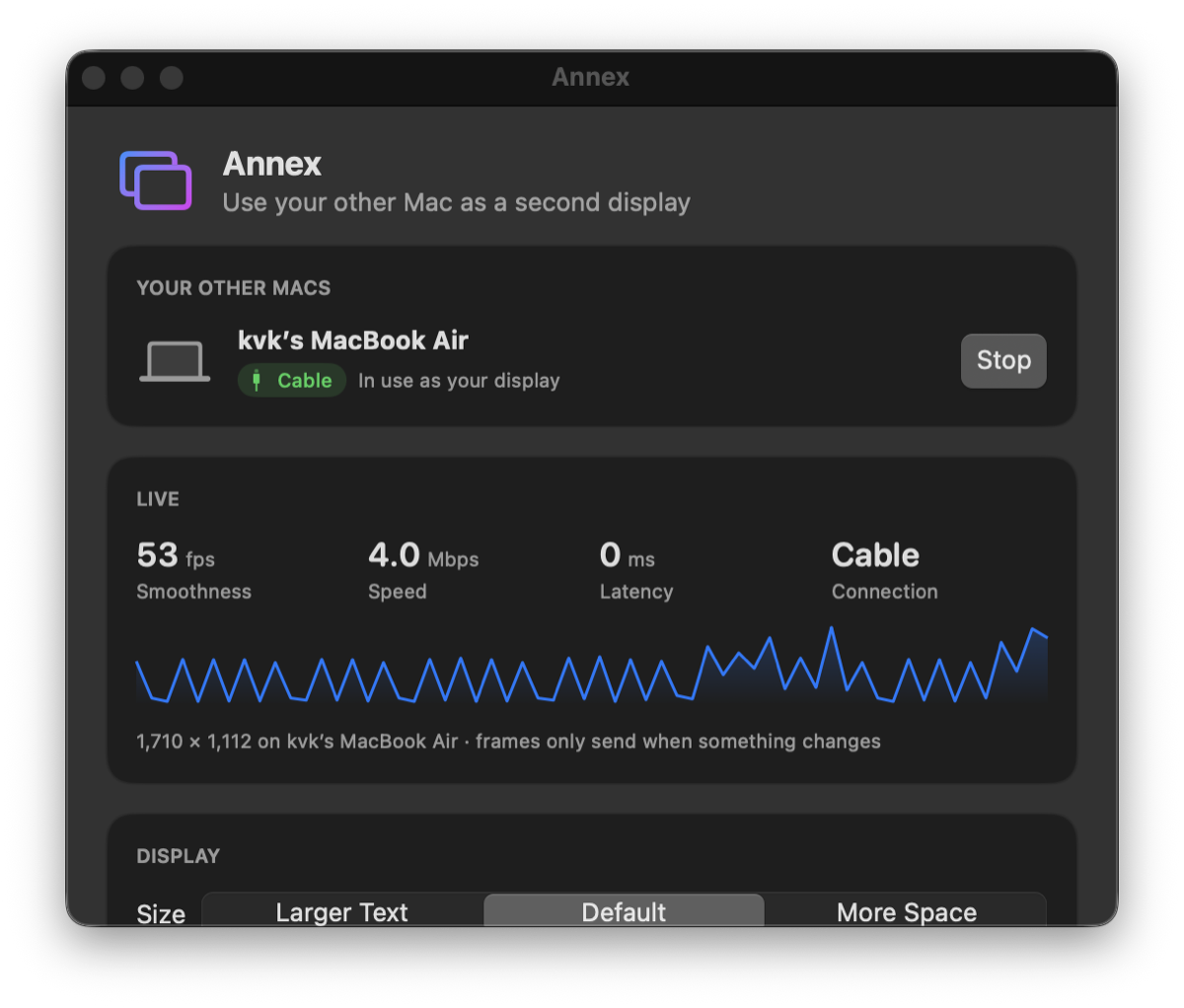
Live stats
Frame rate, speed, latency and connection type, right in the window.
Text the size you like
Larger Text, Default or More Space, and left or right of your Mac. One click each.
Private by design
Mac to Mac over your own cable or network. No cloud, no account, no analytics.
Why not just AirPlay?
AirPlay to Mac is built for mirroring, not for using a Mac as a monitor.
| AirPlay to Mac | Annex | |
|---|---|---|
| Fills a MacBook screen | 16:9 only, black bars | Exact fit, notch area too |
| Wired connection | No | Thunderbolt / USB-C |
| Reconnects automatically | No | Yes |
| Shows speed & latency | No | Yes |
| Price | Built in | Free, open source |
Questions
Full details in the user manual.
macOS says “Annex can't be opened”.
Annex isn't notarized by Apple yet. Open System Settings → Privacy & Security, scroll down, and click Open Anyway. You only do this once per Mac.
Which cable do I need?
A Thunderbolt or USB4 cable, or a USB-C cable that carries data. Charge-only cables won't work. No cable? Keep both Macs on the same Wi-Fi.
Why does it ask for Screen Recording?
That's how macOS lets an app send what's on the extra display to your other Mac. Annex only captures the extra display it creates, and the picture goes straight to your other Mac.
Can I type on the other Mac's keyboard?
Not yet. Use your main Mac's keyboard and trackpad; the pointer moves onto the other screen like any monitor. Press Esc on the other Mac to get its screen back.
Does it work with Intel Macs or older macOS?
Right now it needs Apple silicon and macOS 14 or later on both Macs.
Something went wrong. How do I report it?
In Annex, open Activity → Report a Problem…. It opens a GitHub issue with your macOS version and recent log already filled in. You can review everything before you submit.
Give your spare Mac a second life.
Free and open source under the MIT license.